Connect your AI agent
Point any MCP client at your tenant. Authentication, project scope and approvals.
CISO360AI ships a native Model Context Protocol (MCP) server, so you can connect your own agent (Claude, GitHub Copilot, ChatGPT, Microsoft Copilot, Cursor, or any MCP client) directly to your tenant. It is available on every plan, including Free.
In practice, that means your team can ask an AI assistant natural-language questions about your compliance and risk posture, or have it draft updates, without us having to build a custom integration for every tool your team happens to use.
The same "human stays in control" principle applies here as everywhere else in the platform. Low-risk actions — an agent flagging a false positive, say — happen on their own; anything higher-risk or destructive, such as accepting a risk or deleting a record, waits for a person to approve it in the app.
Access is scoped per credential: each connection reaches only your organisation's data, and you can issue a separate, narrowly-permissioned key for each agent you connect, so one compromised key hands over no more than it was given.
The server speaks streamable HTTP and derives your organisation from your credential, so no organisation or project appears in the URL.
Connect via the connector directory
If your AI tool has a connector directory, you can add CISO360AI from inside the tool — no API key to create or copy. The screens below are Claude's; other clients differ in wording but not in shape.
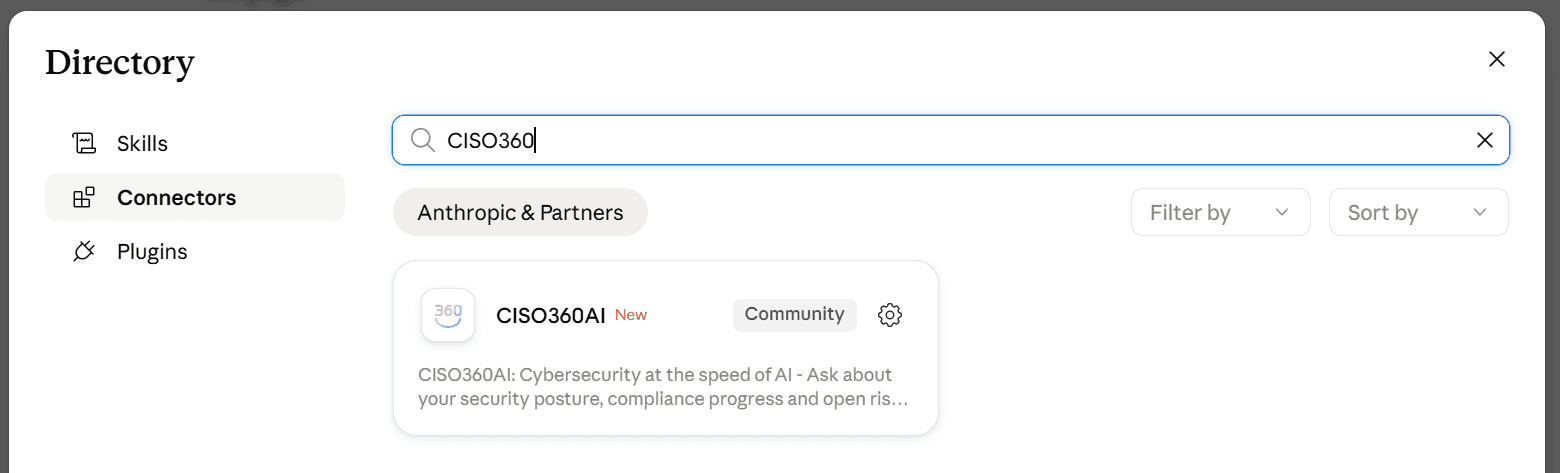
Open Customize → Connectors → Browse, and search for CISO360AI.
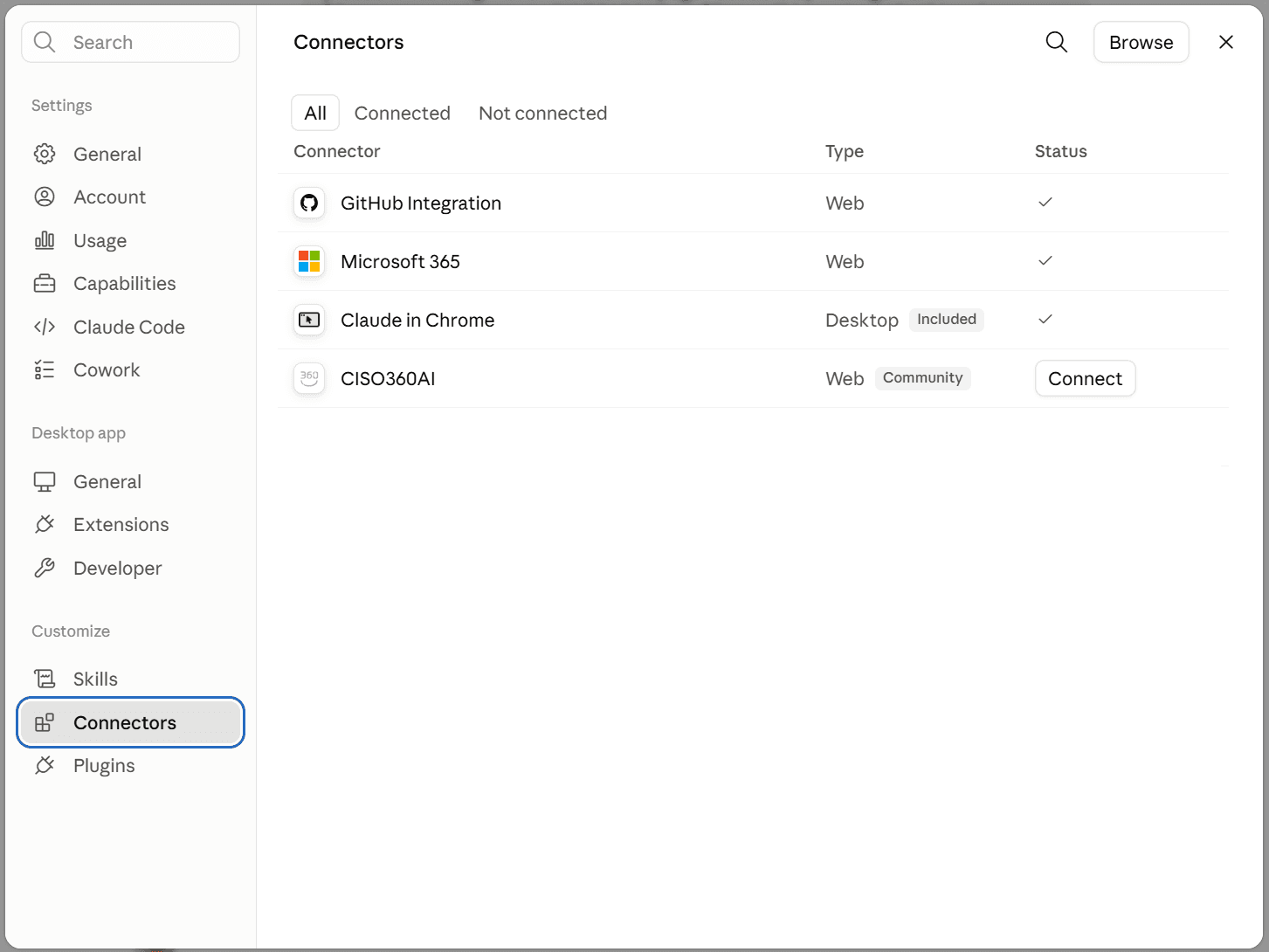
Adding it places CISO360AI in your list of connectors. Select Connect.
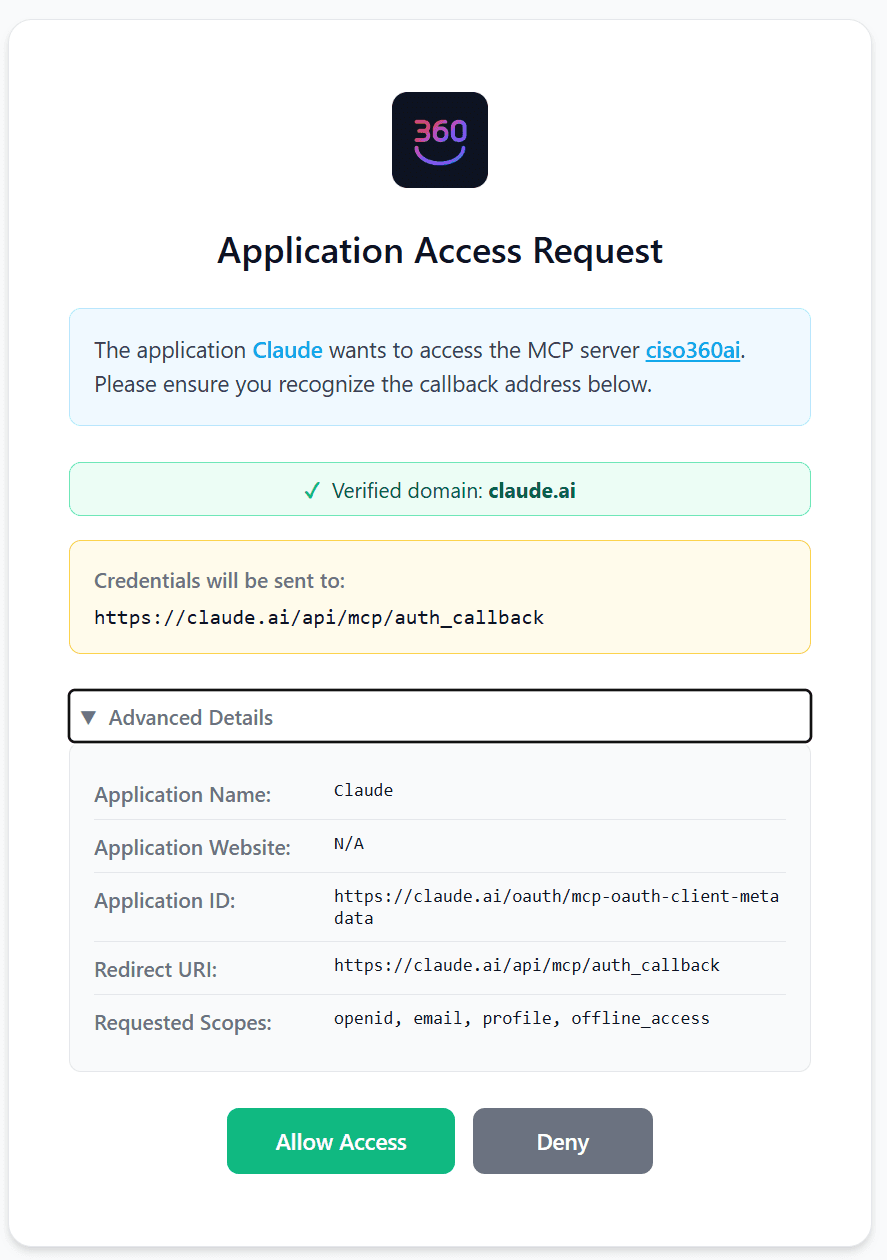
Sign in, then review what the connector is asking for and select Allow Access.
Your agent is now connected.
Connect manually
Every other MCP client — and anyone who wants direct control over the endpoint and credential — takes the manual route.
Endpoint
https://api.ciso360.ai/mcpAuthentication
Two options:
- An API key.
Authorization: Bearer csk_..., created in Account → API Keys. Prefer an agent key with the narrowest scopes that still covers what your agent needs. - OAuth 2.1 with Dynamic Client Registration (DCR), for clients that support it.
Either way your organisation is derived from the credential, and cross-organisation access is rejected.
Treat the key like a password
An API key is a bearer credential bound to your user and one organisation. Keep it out of source control, and issue a separate narrowly-scoped key per agent so you can revoke one without disturbing the others.
Client configuration
Any MCP-compatible client takes the same shape:
{
  "type": "http",
  "url": "https://api.ciso360.ai/mcp",
  "headers": { "Authorization": "Bearer csk_..." }
}
How the tools work
The server advertises a small, fixed set of tools rather than one per capability, so your agent's context holds a stub and it discovers what it needs:
| Tool | Use it to |
|---|---|
search_capabilities | See what the platform can do — everything grouped by area, or matched against a query. |
describe_capability | Get one capability's arguments as JSON Schema, and whether it reads or writes. |
read_data | Run a capability that reads. It refuses one that changes data. |
change_data | Run a capability that changes data. project_id is required. |
list_projects | Resolve the project ids the two invokers take. |
Both invokers take capability (the name) and arguments (that capability's own arguments). A
call that fails comes back as an error your agent can see and correct, and an unusable argument is
answered with that capability's schema.
Every answer is wrapped as {status, result}, where result is the capability's own object. A read
without project_id instead returns {status, aggregated: true, projects: [...]}, one entry per
project. describe_capability tells you which shape a given capability returns.
Project scope
Scope behaves differently for reads and writes, deliberately:
- Reads return every project in your organisation by default, each result tagged with the
project it came from. Pass an optional
project_idto narrow to one. This is what lets a single agent run a whole multi-project programme. Capabilities that read organisation-level data — Secure Score, licences, posture insights, configuration findings, product documentation, plan and entitlements — resolve to your main project instead, because the answer is the same whichever project you asked from. - Writes require an explicit
project_id. There are no silent cross-project writes.
Call list_projects first to discover the project ids available to your credential.
Consultancies, MSSPs and vCISOs use a scoped key (or OAuth across your organisations), one per organisation, with project sharing where a third party needs access.
What an agent may do on its own
Not every tool is equal, and the distinction is enforced server-side rather than left to the agent:
| Action | Behaviour |
|---|---|
| Reads | Run freely within the credential's scope. |
Low-risk triage, marking a finding false_positive or suppressed | Runs autonomously, recorded in the audit log. |
| Destructive actions and risk acceptance | Require a human approval step in the app before they take effect. |
| Releasing an assessment report to a client | A proposal you approve in the app. No key can release one directly. |
Agent keys are deny-by-default and can never run destructive tools, whatever the agent asks for.
Running a penetration test with an agent
An agent can conduct an assessment, not only write it up: scope it, decide which findings it reports and in what order, move it through its stages, and generate the report. See Penetration tests & assessments for what each of those steps means.
One thing it will not do for you. It can ask which findings look like they belong under an assessment — on an in-scope asset, inside your testing window — and it says which scope target each one matched and whether by an explicit asset link or by hostname. It never attaches them itself. What an assessment reports is a decision, and a wrong one is invisible in the finished document.
Asking about the product
Two capabilities answer questions about the platform rather than about your data:
search_product_docssearches this documentation and the plan catalogue, returning the matching sections with links back here, plus the date the content was last updated.get_plan_and_entitlementsreturns the plan in effect for the organisation — a per-project plan overrides it — with each limit's cap, how much is already used and how much is left, the scan types and cadences allowed, and which surfaces need a paid plan. So "how close am I to my limits?" is one call, and the numbers match what you would actually hit. Prices come from the published catalogue.
Both are reads. The documentation search sees only published pages; the plan call also counts your own current usage, scoped to your organisation like every other read.
Reference material
For the live tool list, JSON schemas, OpenAPI document and interactive explorer, see API and MCP reference — that page points at the runtime sources so it can't drift the way a restated list would. For AI agents, the MCP server above is the recommended path; the REST API is there for scripts and machine-to-machine work that isn't agent-driven.